Welcome to Advanced WordPress Hooks & Customization!
In 2025, WordPress continues to power more than 40% of all websites, and its enduring success is rooted in its unparalleled flexibility. At the heart of this flexibility are hooks—the actions and filters that allow developers to modify, extend, and supercharge WordPress without ever touching core files. Whether you’re building custom plugins, fine-tuning themes, or integrating with third-party services, mastering hooks is the key to unlocking WordPress’s full potential.
This comprehensive guide goes far beyond the basics. You’ll learn:
- How hooks work under the hood—and why they’re essential for maintainable, update-safe customizations.
- The difference between actions and filters, with clear, real-world code examples.
- Advanced techniques: conditional hooks, dynamic hook names, removing or overriding existing hooks, and creating your own custom hooks for extensibility.
- How to leverage the Customizer API for live, user-friendly theme options and real-time site personalization.
- Practical, production-ready examples for e-commerce, user experience, automation, performance, SEO, security, and ACF-powered forms.
- Best practices for organizing, securing, and optimizing your hook-based code in modern WordPress environments.
Whether you’re a seasoned developer or looking to level up your WordPress skills, this guide will help you build robust, scalable, and future-proof solutions. Let’s dive in and master the art of WordPress hooks and advanced customization for 2025 and beyond!
Table of Contents
Open Table of Contents
- Why Hooks Matter in 2025
- 1. Understanding Hooks: Actions vs. Filters
- 2. Advanced Hook Techniques
- 3. Using the Customizer API
- 4. Practical Hook Examples
- 5. Best Practices for Hooks
- 6. Tools for Hook Development
- 7. 2025 Hooks Checklist
- 8. Hooks & Site Success
- 9. Final Thoughts
Why Hooks Matter in 2025
Hooks represent WordPress’s most powerful architectural feature, allowing developers to modify and extend functionality without touching core files. This event-driven system ensures your customizations survive updates while maintaining code integrity:
- Flexibility: Add or alter features seamlessly.
- Maintainability: Code survives updates.
- Scalability: Build robust plugins or themes.
- Efficiency: Target specific functionality.
- Community: Hooks power 70%+ of plugins (2024 WP Tavern).
Stat Alert: 80% of advanced WordPress devs rely on hooks for custom solutions, per 2024 Codex surveys. Master them in 2025!
1. Understanding Hooks: Actions vs. Filters
Hooks are the backbone of WordPress extensibility, enabling developers to interact with core processes without modifying source code. At their core, hooks are predefined points in the WordPress execution flow where you can attach your own functions—either to perform actions (like sending an email or logging an event) or to filter and modify data (such as changing post content before display). Understanding how hooks work, and the distinction between actions and filters, is essential for building maintainable, update-safe customizations. In this section, we’ll break down the mechanics of hooks, clarify the differences between actions and filters, and provide practical examples to help you leverage them effectively in your projects.
Hooks are WordPress’s event-driven system, letting you “hook” into processes.
1.1 Actions
- What: Run code at specific points (e.g., after a post saves).
- Syntax:
add_action('hook_name', 'callback_function', $priority, $accepted_args); - Example: Log user logins:
add_action('wp_login', 'log_user_login', 10, 2);
function log_user_login($user_login, $user) {
  error_log("User $user_login logged in at " . date('Y-m-d H:i:s'));
}
1.2 Filters
- What: Modify data before it’s used (e.g., post content).
- Syntax:
add_filter('hook_name', 'callback_function', $priority, $accepted_args); - Example: Add text to post content:
add_filter('the_content', 'add_content_notice');
function add_content_notice($content) {
  return $content . '<p>Updated in 2025!</p>';
}
1.3 Key Differences
- Actions: Do something (e.g., send email).
- Filters: Change something (e.g., modify text).
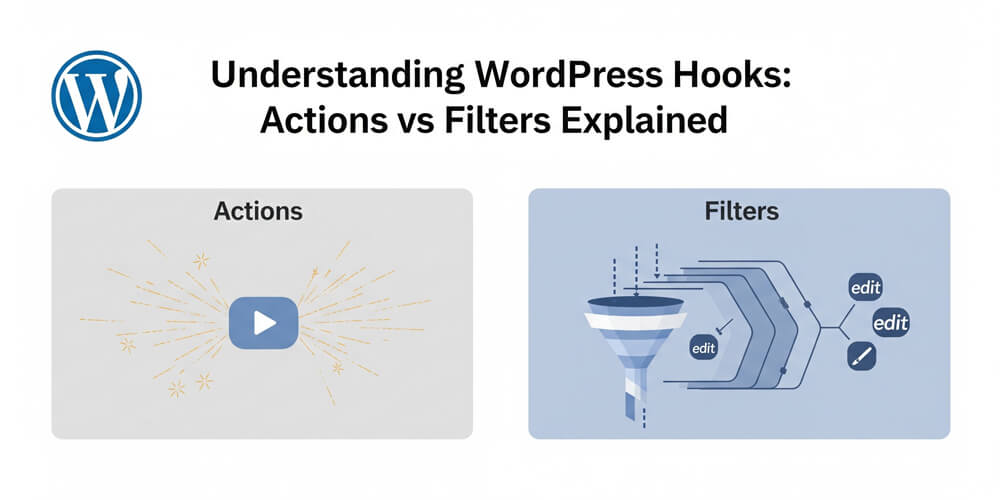
- Guide: See Understanding WordPress Hooks: Actions vs Filters Explained for basics.
2. Advanced Hook Techniques
Advanced hook techniques are what set experienced WordPress developers apart, enabling you to solve complex problems, build extensible plugins, and maintain clean, update-safe code. In this section, we’ll explore strategies that go beyond simply adding actions or filters—covering conditional logic, dynamic hook names, removing or overriding existing hooks, and creating your own custom hooks for extensibility. Mastering these techniques will help you architect solutions that are robust, modular, and ready for the evolving demands of modern WordPress projects.
Go beyond basics with powerful hook strategies that separate novice developers from experts.
Master these advanced techniques to unlock WordPress’s full potential and build sophisticated, maintainable solutions.
2.1 Conditional Hooks
- Why: Run hooks only in specific contexts.
- Example: Modify titles on single posts:
add_filter('the_title', 'custom_post_title', 10, 2);
function custom_post_title($title, $post_id) {
  if (is_single() && get_post_type($post_id) === 'post') {
    return '2025: ' . $title;
  }
  return $title;
}
2.2 Dynamic Hooks
- What: Hooks with variable names (e.g.,
woocommerce_{context}). - Example: Customize WooCommerce checkout fields:
add_filter('woocommerce_checkout_fields', 'custom_checkout_fields');
function custom_checkout_fields($fields) {
  $fields['billing']['billing_phone']['required'] = false;
  return $fields;
}
2.3 Removing Hooks
- Why: Disable default or third-party functionality.
- Example: Remove default excerpt filter:
remove_filter('get_the_excerpt', 'wp_trim_excerpt', 10); - Tip: Match priority and ensure removal runs after addition (e.g., in
init).add_action('init', 'remove_unwanted_hook'); function remove_unwanted_hook() { remove_filter('the_content', 'some_plugin_filter', 10); }
2.4 Creating Custom Hooks
- Why: Make your plugin/theme extensible.
- Action Example:
do_action('my_custom_action', $user_id, $data);- Usage:
add_action('my_custom_action', 'handle_custom_action');
- Usage:
- Filter Example:
$settings = apply_filters('my_custom_settings', $default_settings);- Usage:
add_filter('my_custom_settings', 'modify_settings');
- Usage:
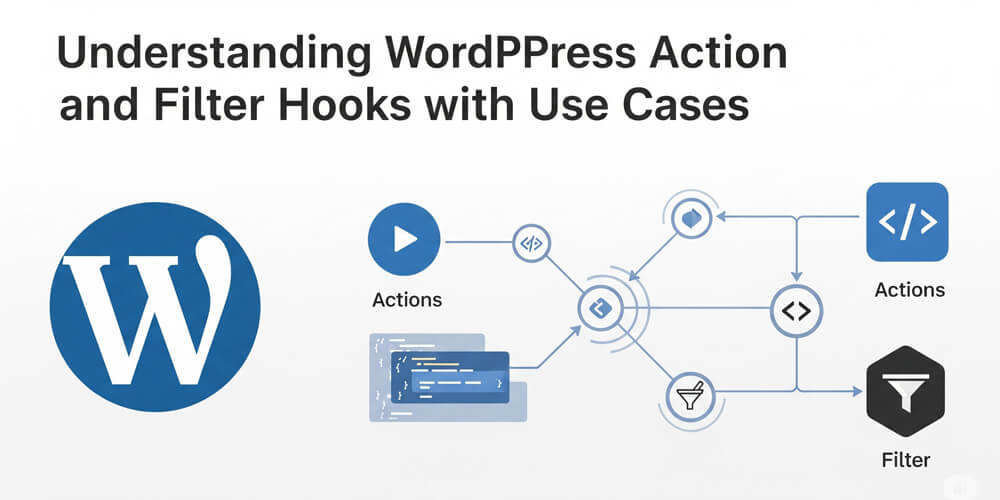
- Guide: Dive deeper in WordPress Action & Filter Hooks: Advanced.
3. Using the Customizer API
The WordPress Customizer API revolutionizes theme customization by providing an intuitive interface for real-time modifications. In 2025, it remains the gold standard for user-friendly theme options, combining live preview capabilities with powerful developer hooks.
The Customizer bridges the gap between end-users and developers:
- End-users: Point-and-click customization without code
- Developers: Extensible framework with rich hook ecosystem
- Agencies: Branded, professional client experience
- Performance: Selective refresh reduces full-page reloads
2025 Enhancement: Modern Customizer implementations leverage selective refresh, JavaScript APIs, and REST endpoints for lightning-fast previews. The latest WordPress versions support partial refresh for individual controls, making customization seamless.
Evolution of Customizer
Since WordPress 3.4, the Customizer has evolved from basic theme options to a comprehensive customization platform:
- WordPress 4.0+: Panels for organized sections
- WordPress 4.7+: Selective refresh technology
- WordPress 5.0+: Block editor integration
- 2025 Trends: Headless compatibility and REST API extensions
3.1 Why Customizer?
- Live Preview: See changes instantly.
- User-Friendly: No coding for end-users.
- Extensible: Hooks for developers.
3.2 Adding Customizer Settings
- Code:
add_action('customize_register', 'my_customizer_settings'); function my_customizer_settings($wp_customize) { $wp_customize->add_section('my_section', [ 'title' => 'My 2025 Theme Options', 'priority' => 30, ]); $wp_customize->add_setting('accent_color', [ 'default' => '#0073aa', 'sanitize_callback' => 'sanitize_hex_color', ]); $wp_customize->add_control(new WP_Customize_Color_Control( $wp_customize, 'accent_color', [ 'label' => 'Accent Color', 'section' => 'my_section', ] )); } - Output: Use in theme:
.site-header { background: <?php echo get_theme_mod('accent_color'); ?>; }
3.3 Hooking into Customizer
- Example: Validate input:
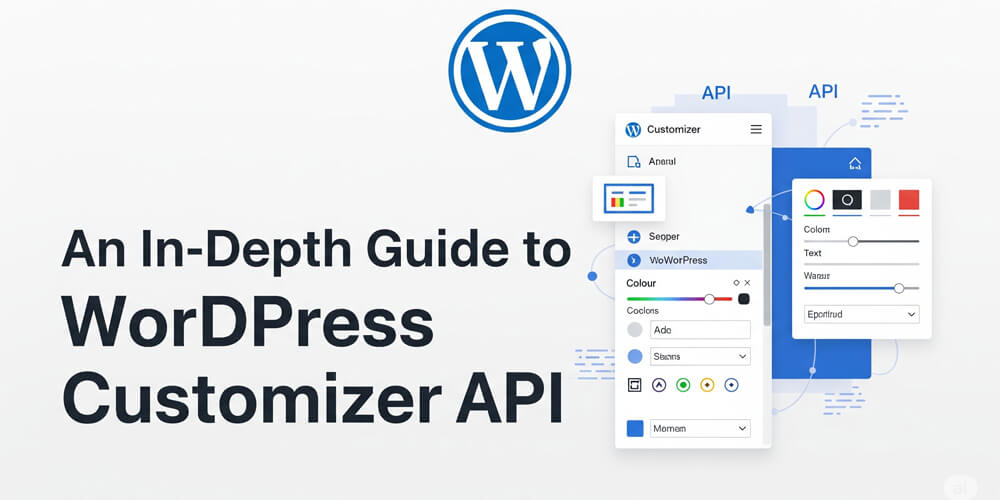
add_filter('sanitize_hex_color', 'strict_color_validation', 10, 2); function strict_color_validation($color, $setting) { if (!preg_match('/^#[0-9A-F]{6}$/i', $color)) { return $setting->default; } return $color; } - Guide: See WordPress Customizer API Guide for advanced options.
Pro Tip: Sanitize all Customizer inputs to prevent security risks.
4. Practical Hook Examples
Let’s explore comprehensive real-world scenarios that demonstrate the power of WordPress hooks in production environments. These examples solve common challenges faced by developers in 2025.
4.1 E-commerce Customizations
Modify WooCommerce Product Display
- Goal: Add custom badges and product information dynamically.
- Code:
// Add "New" badge to products published in last 30 days
add_action('woocommerce_before_shop_loop_item_title', 'add_new_product_badge', 5);
function add_new_product_badge() {
  global $product;
  $created = strtotime($product->get_date_created());
  $thirty_days_ago = strtotime('-30 days');

  if ($created > $thirty_days_ago) {
    echo '<span class="new-badge">New!</span>';
  }
}

// Custom shipping message based on product weight
add_filter('woocommerce_cart_shipping_method_full_label', 'custom_shipping_label', 10, 2);
function custom_shipping_label($label, $method) {
  $cart_weight = WC()->cart->get_cart_contents_weight();
  if ($cart_weight > 10) {
    $label .= ' <small>(Heavy items - 5-7 business days)</small>';
  }
  return $label;
}
Dynamic Pricing Based on User Role
- Goal: Implement role-based pricing for wholesale customers.
- Code:
add_filter('woocommerce_product_get_price', 'role_based_pricing', 10, 2);
function role_based_pricing($price, $product) {
  if (!is_user_logged_in()) return $price;

  $user = wp_get_current_user();
  $wholesale_roles = ['wholesale_customer', 'distributor'];

  if (array_intersect($wholesale_roles, $user->roles)) {
    return $price * 0.85; // 15% discount
  }
  return $price;
}
Automatic Order Status Updates
- Goal: Auto-complete digital product orders and send custom notifications.
- Code:
add_action('woocommerce_payment_complete', 'auto_complete_digital_orders');
function auto_complete_digital_orders($order_id) {
  $order = wc_get_order($order_id);
  $has_digital = false;

  foreach ($order->get_items() as $item) {
    $product = $item->get_product();
    if ($product && $product->is_virtual()) {
      $has_digital = true;
      break;
    }
  }

  if ($has_digital) {
    $order->update_status('completed');

    // Send custom email with download instructions
    do_action('send_digital_product_email', $order_id);
  }
}
4.2 User Experience Enhancements
Smart Login Redirect System
- Goal: Redirect users based on role, referrer, and previous activity.
- Code:
add_filter('login_redirect', 'intelligent_login_redirect', 10, 3);
function intelligent_login_redirect($redirect_to, $request, $user) {
  if (!isset($user->roles)) return $redirect_to;

  // Store user's last visited page
  $last_page = get_user_meta($user->ID, 'last_visited_page', true);

  // Role-based redirects
  $role_redirects = [
    'administrator' => admin_url(),
    'editor' => admin_url('edit.php'),
    'author' => admin_url('edit.php?post_type=post&author=' . $user->ID),
    'subscriber' => home_url('/dashboard'),
    'customer' => wc_get_account_endpoint_url('dashboard')
  ];

  foreach ($user->roles as $role) {
    if (isset($role_redirects[$role])) {
      // If user has a specific destination, use it
      if ($redirect_to && $redirect_to !== admin_url()) {
        return $redirect_to;
      }

      // If user was on a specific page, return there
      if ($last_page && !strpos($last_page, 'wp-login')) {
        return $last_page;
      }

      return $role_redirects[$role];
    }
  }

  return $redirect_to;
}

// Track user's last visited page
add_action('wp_footer', 'track_user_activity');
function track_user_activity() {
  if (is_user_logged_in() && !is_admin()) {
    $user_id = get_current_user_id();
    $current_url = (is_ssl() ? 'https://' : 'http://') . $_SERVER['HTTP_HOST'] . $_SERVER['REQUEST_URI'];
    update_user_meta($user_id, 'last_visited_page', $current_url);
  }
}
Progressive Web App Features
- Goal: Add PWA capabilities with service worker registration.
- Code:
add_action('wp_head', 'add_pwa_meta_tags');
function add_pwa_meta_tags() {
  echo '<link rel="manifest" href="' . get_template_directory_uri() . '/manifest.json">';
  echo '<meta name="theme-color" content="' . get_theme_mod('accent_color', '#0073aa') . '">';
}

add_action('wp_footer', 'register_service_worker');
function register_service_worker() {
  if (is_https()) {
    ?>
    <script>
    if ('serviceWorker' in navigator) {
      window.addEventListener('load', function() {
        navigator.serviceWorker.register('<?php echo home_url('/sw.js'); ?>')
          .then(function(registration) {
            console.log('SW registered: ', registration);
          })
          .catch(function(registrationError) {
            console.log('SW registration failed: ', registrationError);
          });
      });
    }
    </script>
    <?php
  }
}
4.3 Content Management Automation
Smart Content Scheduling
- Goal: Auto-schedule posts based on optimal engagement times.
- Code:
add_action('save_post', 'optimize_post_schedule', 10, 2);
function optimize_post_schedule($post_id, $post) {
  if ($post->post_type !== 'post' || $post->post_status !== 'future') {
    return;
  }

  // Get optimal posting times from analytics
  $optimal_times = get_option('optimal_posting_times', [
    'Monday' => '09:00',
    'Tuesday' => '10:00',
    'Wednesday' => '11:00',
    'Thursday' => '09:30',
    'Friday' => '08:30',
    'Saturday' => '10:30',
    'Sunday' => '11:30'
  ]);

  $post_date = get_post_time('U', true, $post_id);
  $day_of_week = date('l', $post_date);
  $optimal_time = $optimal_times[$day_of_week];

  // Reschedule to optimal time
  $new_date = date('Y-m-d', $post_date) . ' ' . $optimal_time . ':00';
  wp_update_post([
    'ID' => $post_id,
    'post_date' => $new_date,
    'post_date_gmt' => get_gmt_from_date($new_date)
  ]);
}
Automatic Content Tagging
- Goal: Use AI/ML to automatically tag posts based on content analysis.
- Code:
add_action('save_post', 'auto_tag_content', 20, 2);
function auto_tag_content($post_id, $post) {
  if ($post->post_type !== 'post' || wp_is_post_revision($post_id)) {
    return;
  }

  $content = $post->post_content . ' ' . $post->post_title;
  $suggested_tags = analyze_content_for_tags($content);

  if (!empty($suggested_tags)) {
    wp_set_post_tags($post_id, $suggested_tags, true);
  }
}

function analyze_content_for_tags($content) {
  // Keyword density analysis
  $keywords = extract_keywords($content);
  $existing_tags = get_tags(['hide_empty' => false]);
  $suggested = [];

  foreach ($keywords as $keyword => $frequency) {
    foreach ($existing_tags as $tag) {
      if (stripos($keyword, $tag->name) !== false && $frequency > 2) {
        $suggested[] = $tag->name;
      }
    }
  }

  return array_unique($suggested);
}

function extract_keywords($text) {
  // Simple keyword extraction (in production, use NLP library)
  $words = str_word_count(strtolower($text), 1);
  $stop_words = ['the', 'and', 'or', 'but', 'in', 'on', 'at', 'to', 'for', 'of', 'with', 'by', 'from', 'up', 'about', 'into', 'through', 'during', 'before', 'after', 'above', 'below', 'between', 'among', 'within'];

  $words = array_diff($words, $stop_words);
  return array_count_values($words);
}
4.4 Performance & SEO Optimization
Intelligent Image Optimization
- Goal: Automatically optimize and lazy-load images based on context.
- Code:
add_filter('wp_get_attachment_image_attributes', 'smart_image_optimization', 10, 3);
function smart_image_optimization($attr, $attachment, $size) {
  $post_id = get_the_ID();

  // Add lazy loading for below-fold images
  if (!is_admin() && !is_feed()) {
    $attr['loading'] = 'lazy';
    $attr['decoding'] = 'async';
  }

  // Add responsive images for different screen sizes
  if (wp_is_mobile()) {
    $attr['sizes'] = '(max-width: 768px) 100vw, 50vw';
  }

  // Add structured data for product images
  if (get_post_type($post_id) === 'product') {
    $attr['itemscope'] = '';
    $attr['itemtype'] = 'http://schema.org/ImageObject';
  }

  return $attr;
}

// Preload critical images
add_action('wp_head', 'preload_critical_images');
function preload_critical_images() {
  if (is_front_page()) {
    $hero_image = get_theme_mod('hero_image');
    if ($hero_image) {
      echo '<link rel="preload" as="image" href="' . esc_url($hero_image) . '">';
    }
  }
}
Dynamic Schema Markup
- Goal: Add contextual structured data for better SEO.
- Code:
add_action('wp_head', 'add_dynamic_schema_markup');
function add_dynamic_schema_markup() {
  if (is_single()) {
    $post = get_post();
    $schema = [
      '@context' => 'https://schema.org',
      '@type' => 'Article',
      'headline' => get_the_title(),
      'description' => get_the_excerpt(),
      'author' => [
        '@type' => 'Person',
        'name' => get_the_author()
      ],
      'datePublished' => get_the_date('c'),
      'dateModified' => get_the_modified_date('c'),
      'publisher' => [
        '@type' => 'Organization',
        'name' => get_bloginfo('name'),
        'logo' => [
          '@type' => 'ImageObject',
          'url' => get_site_icon_url()
        ]
      ]
    ];

    // Add image if featured image exists
    if (has_post_thumbnail()) {
      $schema['image'] = [
        '@type' => 'ImageObject',
        'url' => get_the_post_thumbnail_url(null, 'full')
      ];
    }

    // Add FAQ schema for posts with FAQ blocks
    $content = $post->post_content;
    if (has_block('core/heading', $content)) {
      $faqs = extract_faq_from_content($content);
      if (!empty($faqs)) {
        $schema['mainEntity'] = $faqs;
      }
    }

    echo '<script type="application/ld+json">' . json_encode($schema) . '</script>';
  }
}

function extract_faq_from_content($content) {
  // Extract FAQ patterns from content
  $blocks = parse_blocks($content);
  $faqs = [];

  foreach ($blocks as $block) {
    if ($block['blockName'] === 'core/heading' &&
        isset($block['attrs']['level']) &&
        $block['attrs']['level'] >= 3) {

      $question = strip_tags($block['innerHTML']);
      if (strpos($question, '?') !== false) {
        // Look for the next paragraph as answer
        $faqs[] = [
          '@type' => 'Question',
          'name' => $question,
          'acceptedAnswer' => [
            '@type' => 'Answer',
            'text' => 'Answer content...' // Extract from next block
          ]
        ];
      }
    }
  }

  return $faqs;
}
4.5 Security & Monitoring
Advanced Security Monitoring
- Goal: Implement real-time security monitoring with automated responses.
- Code:
// Monitor failed login attempts
add_action('wp_login_failed', 'track_failed_logins');
function track_failed_logins($username) {
  $ip = $_SERVER['REMOTE_ADDR'];
  $attempts = get_transient('failed_login_' . $ip) ?: 0;
  $attempts++;

  set_transient('failed_login_' . $ip, $attempts, 15 * MINUTE_IN_SECONDS);

  // Block after 5 failed attempts
  if ($attempts >= 5) {
    // Log security event
    error_log("Blocked IP $ip after $attempts failed login attempts for user: $username");

    // Send admin notification
    wp_mail(get_option('admin_email'),
      'Security Alert: Multiple Failed Logins',
      "IP $ip has been temporarily blocked after $attempts failed login attempts."
    );

    // Redirect to reduce server load
    wp_redirect(home_url(), 429);
    exit;
  }
}

// Check for suspicious activity
add_action('init', 'security_checks');
function security_checks() {
  $ip = $_SERVER['REMOTE_ADDR'];
  $blocked_ips = get_option('blocked_ips', []);

  if (in_array($ip, $blocked_ips)) {
    wp_die('Access denied for security reasons.', 'Security Block', 403);
  }

  // Check for blocked IP from failed logins
  $failed_attempts = get_transient('failed_login_' . $ip);
  if ($failed_attempts >= 5) {
    wp_die('Too many failed login attempts. Please try again later.', 'Rate Limit', 429);
  }
}

// Monitor file changes
add_action('wp_loaded', 'monitor_core_files');
function monitor_core_files() {
  if (is_admin() && current_user_can('manage_options')) {
    $core_files = [
      ABSPATH . 'wp-config.php',
      ABSPATH . 'wp-admin/admin.php',
      ABSPATH . 'wp-includes/functions.php'
    ];

    foreach ($core_files as $file) {
      if (file_exists($file)) {
        $current_hash = md5_file($file);
        $stored_hash = get_option('file_hash_' . basename($file));

        if ($stored_hash && $stored_hash !== $current_hash) {
          // File has been modified
          wp_mail(get_option('admin_email'),
            'Security Alert: Core File Modified',
            "The file $file has been modified. Please check for unauthorized changes."
          );
        }

        update_option('file_hash_' . basename($file), $current_hash);
      }
    }
  }
}
4.6 Advanced Custom Fields Integration
Dynamic Form Generation
- Goal: Create dynamic forms based on ACF field groups.
- Code:
add_shortcode('dynamic_form', 'render_dynamic_form');
function render_dynamic_form($atts) {
  $atts = shortcode_atts([
    'form_id' => '',
    'redirect' => '',
    'email_admin' => true
  ], $atts);

  if (empty($atts['form_id'])) return '';

  $fields = acf_get_fields($atts['form_id']);
  if (!$fields) return '';

  ob_start();
  ?>
  <form class="dynamic-form" method="post" action="">
    <?php wp_nonce_field('dynamic_form_submit', 'form_nonce'); ?>
    <input type="hidden" name="form_id" value="<?php echo esc_attr($atts['form_id']); ?>">

    <?php foreach ($fields as $field): ?>
      <div class="form-field form-field-<?php echo esc_attr($field['type']); ?>">
        <label for="<?php echo esc_attr($field['name']); ?>">
          <?php echo esc_html($field['label']); ?>
          <?php if ($field['required']): ?><span class="required">*</span><?php endif; ?>
        </label>

        <?php
        switch ($field['type']) {
          case 'text':
          case 'email':
          case 'url':
            echo '<input type="' . esc_attr($field['type']) . '" name="' . esc_attr($field['name']) . '" id="' . esc_attr($field['name']) . '" ' . ($field['required'] ? 'required' : '') . '>';
            break;

          case 'textarea':
            echo '<textarea name="' . esc_attr($field['name']) . '" id="' . esc_attr($field['name']) . '" ' . ($field['required'] ? 'required' : '') . '></textarea>';
            break;

          case 'select':
            echo '<select name="' . esc_attr($field['name']) . '" id="' . esc_attr($field['name']) . '" ' . ($field['required'] ? 'required' : '') . '>';
            foreach ($field['choices'] as $value => $label) {
              echo '<option value="' . esc_attr($value) . '">' . esc_html($label) . '</option>';
            }
            echo '</select>';
            break;
        }
        ?>

        <?php if ($field['instructions']): ?>
          <small class="field-instructions"><?php echo esc_html($field['instructions']); ?></small>
        <?php endif; ?>
      </div>
    <?php endforeach; ?>

    <button type="submit" name="submit_dynamic_form">Submit</button>
  </form>
  <?php
  return ob_get_clean();
}

// Handle form submission
add_action('init', 'handle_dynamic_form_submission');
function handle_dynamic_form_submission() {
  if (isset($_POST['submit_dynamic_form']) && wp_verify_nonce($_POST['form_nonce'], 'dynamic_form_submit')) {
    $form_id = sanitize_text_field($_POST['form_id']);
    $fields = acf_get_fields($form_id);

    // Create new post to store submission
    $post_id = wp_insert_post([
      'post_type' => 'form_submission',
      'post_title' => 'Form Submission - ' . date('Y-m-d H:i:s'),
      'post_status' => 'private'
    ]);

    if ($post_id) {
      foreach ($fields as $field) {
        if (isset($_POST[$field['name']])) {
          $value = sanitize_text_field($_POST[$field['name']]);
          update_field($field['name'], $value, $post_id);
        }
      }

      // Send notification email
      do_action('dynamic_form_submitted', $post_id, $form_id);
    }
  }
}
These comprehensive examples demonstrate how WordPress hooks can solve complex, real-world challenges across e-commerce, user experience, content management, performance, security, and form handling. Each implementation showcases advanced techniques that go beyond basic hook usage, providing scalable solutions for modern WordPress development in 2025.
4.7 Modify Login Redirect
- Goal: Redirect users after login based on role.
- Code:
add_filter('login_redirect', 'custom_login_redirect', 10, 3);
function custom_login_redirect($redirect_to, $request, $user) {
  if (isset($user->roles) && in_array('subscriber', $user->roles)) {
    return home_url('/dashboard');
  }
  return $redirect_to;
}
4.8 Restrict Admin Access
- Goal: Block non-admins from dashboard.
- Code:
add_action('admin_init', 'restrict_admin_access');
function restrict_admin_access() {
  if (!current_user_can('manage_options') && !wp_doing_ajax()) {
    wp_redirect(home_url());
    exit;
  }
}
4.9 Custom Email Notifications
- Goal: Notify admin on new user registration.
- Code:
add_action('user_register', 'notify_admin_new_user'); function notify_admin_new_user($user_id) { $user = get_userdata($user_id); wp_mail(get_option('admin_email'), 'New User', 'User: ' . $user->user_login); } - SMTP: Ensure delivery—Configure Gmail with FluentSMTP.
5. Best Practices for Hooks
Following best practices ensures your hook implementations are robust, maintainable, and perform well in production environments. Clean code practices, proper organization, and security considerations are essential for successful WordPress development. These guidelines will help you write hooks that not only work effectively but also integrate seamlessly with existing WordPress ecosystems while maintaining optimal performance and security standards.
Write clean, maintainable code.
5.1 Code Organization
- File: Use a custom plugin or child theme’s
functions.php. - Namespace: Avoid conflicts:
namespace MyTheme; add_action('init', __NAMESPACE__ . '\my_init_function'); - Comments: Document hooks:
// Redirect subscribers after login
add_filter('login_redirect', 'custom_login_redirect', 10, 3);
5.2 Performance
- Early Exit: Return fast in conditionals.
- Caching: Use transients for heavy data—WordPress Transient API Role.
- Debug: Use Query Monitor to check hook impact.
5.3 Security
- Sanitize: Use
sanitize_text_field(),esc_html(). - Nonces: Verify actions:
if (!check_ajax_referer('my_nonce', 'nonce')) { wp_die('Invalid nonce'); } - Link: Secure WordPress Site from Hackers: 2025 Edition.
6. Tools for Hook Development
Developing with WordPress hooks is easier and more efficient when you leverage the right tools. Whether you’re debugging complex hook interactions, exploring available actions and filters, or automating repetitive tasks, a solid toolkit can dramatically speed up your workflow and help you avoid common pitfalls. In this section, we’ll highlight essential tools and resources that every advanced WordPress developer should know. From real-time debugging plugins to comprehensive hook references and powerful command-line utilities, these tools will help you write, test, and optimize your hook-based code with confidence and precision.
| Tool | Purpose | Why It’s Great |
|---|---|---|
| Query Monitor | Debug hooks, queries | Pinpoints performance |
| Hookr.io | Hook reference | Comprehensive docs |
| WP-CLI | Test hooks via CLI | Fast development |
| PHPStorm | Code autocompletion | IDE for pros |
- Explore: More at Hooks Tag.
7. 2025 Hooks Checklist
- Learn basics: Understanding WordPress Hooks: Actions vs Filters Explained.
- Go advanced: WordPress Action & Filter Hooks: Advanced.
- Use Customizer: WordPress Customizer API Guide.
- Write a custom hook or filter.
- Debug with Query Monitor.
- Explore Hooks Tag and Filters Tag.
8. Hooks & Site Success
Hooks are the foundation of WordPress’s extensibility and a major driver of site success in 2025. By leveraging actions and filters, developers can customize nearly every aspect of WordPress—from user experience and performance to security and scalability—without modifying core files. This flexibility ensures that your site remains robust, update-safe, and adaptable to changing requirements. Mastering hooks not only empowers you to solve complex challenges but also enables you to build solutions that scale with your business and user base. Whether you’re optimizing for speed, adding advanced features, or integrating with third-party services, hooks are the key to unlocking WordPress’s full potential and ensuring long-term site success.
- Customization: Tailor every aspect of WordPress.
- Performance: Efficient hooks keep sites fast.
- Scalability: Build for high traffic—Creating Scalable WordPress Sites.
- Bonus: Secure it—Secure WordPress Site from Hackers: 2025 Edition.
9. Final Thoughts
Advanced WordPress hooks and customization in 2025 empower developers to create unique, powerful sites. With actions, filters, and the Customizer API, you can shape WordPress to any need. Start today: add a filter, create a custom hook, or tweak the Customizer. Dive deeper with Hooks Tag and Filters Tag for more inspiration.
Questions? Comment or contact me! Let’s master WordPress hooks in 2025!